Meta Ads Odoo Integration
Connect Meta Ads to Odoo CRM and automatically create leads from Meta lead forms.


Stop Copy-Pasting, Start Selling.
Integrate your Meta Ads enquiries today and transform your sales process into a single, automated workflow

How Meta Ads Leads Come Into Odoo
Meta Ads leads flow into your Odoo CRM through a Meta webhook,
then get mapped to the
connected CRM Markethub account and sales team.
Meta Ads
Customer submits a lead form
CRM Markethub
Lead is received and mapped
Odoo CRM
Lead record is created
Meta sends lead notifications to the CRM Markethub webhook. The integration validates the request and retrieves the lead details from Meta Ads.
Once the Meta Ads account is connected, incoming leads are created in Odoo CRM and assigned to the connected sales team.
How to Set Up
Connect Meta Ads
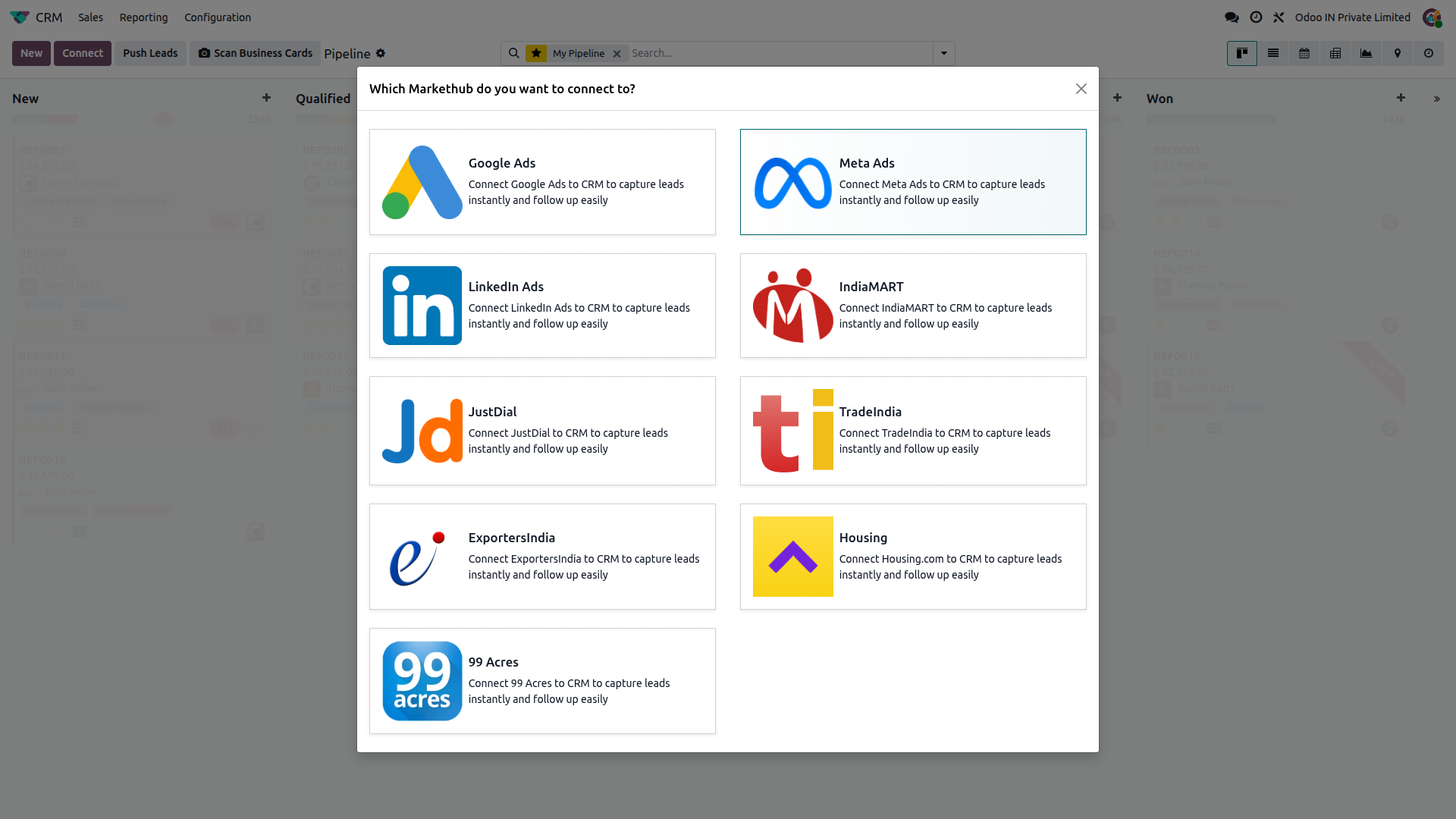
Go to CRM, click Connect, then select Meta Ads to start the Meta authorization flow.
Authorize your Meta account
Sign in with Meta and authorize access to the Facebook Pages available to your account.
Connect the Meta Ads account
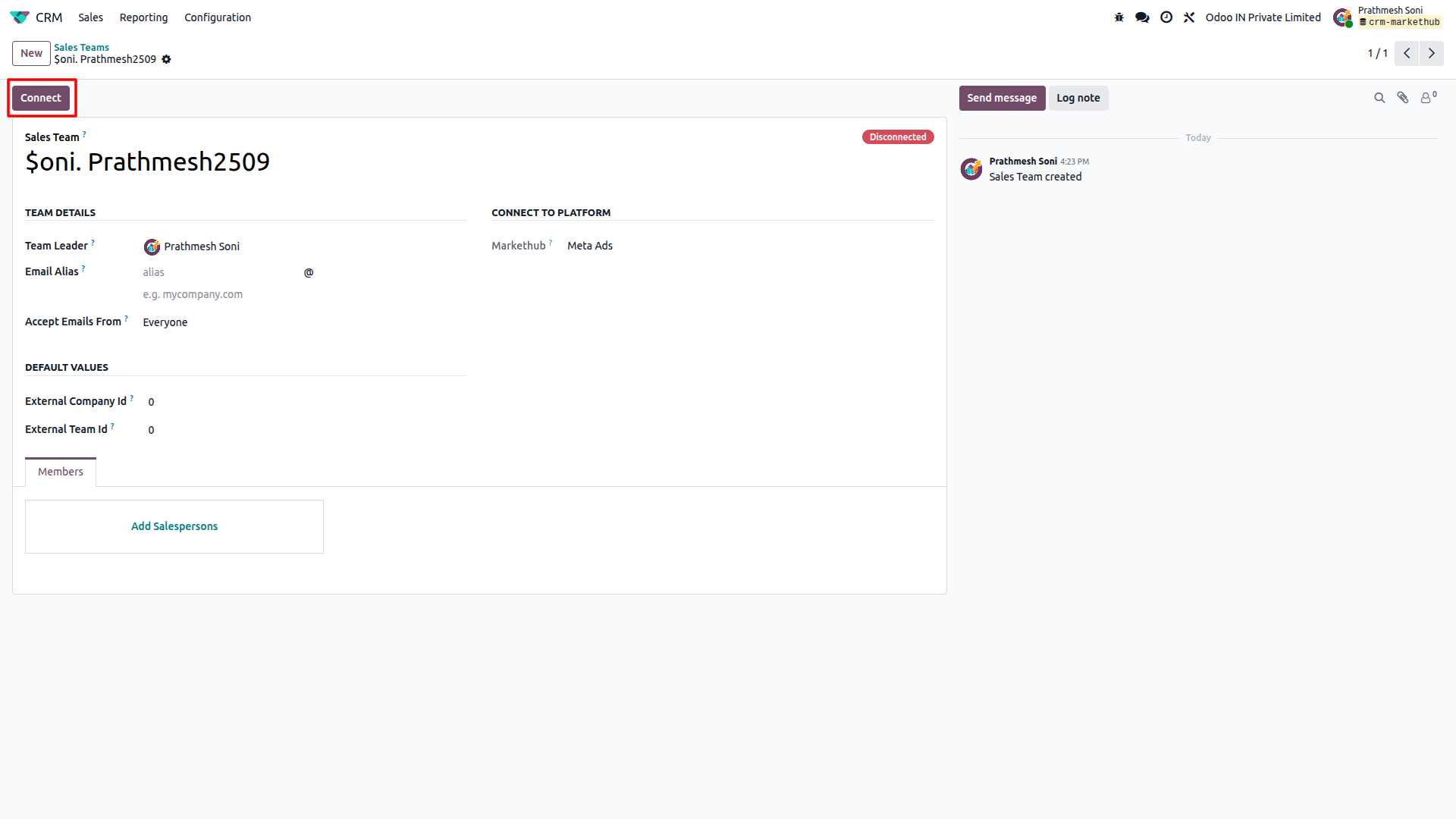
Select the Meta account created in Odoo and click Connect to subscribe it for lead notifications.
Start receiving leads
Once connected, Meta lead notifications are received through the webhook and new leads are created in Odoo CRM.
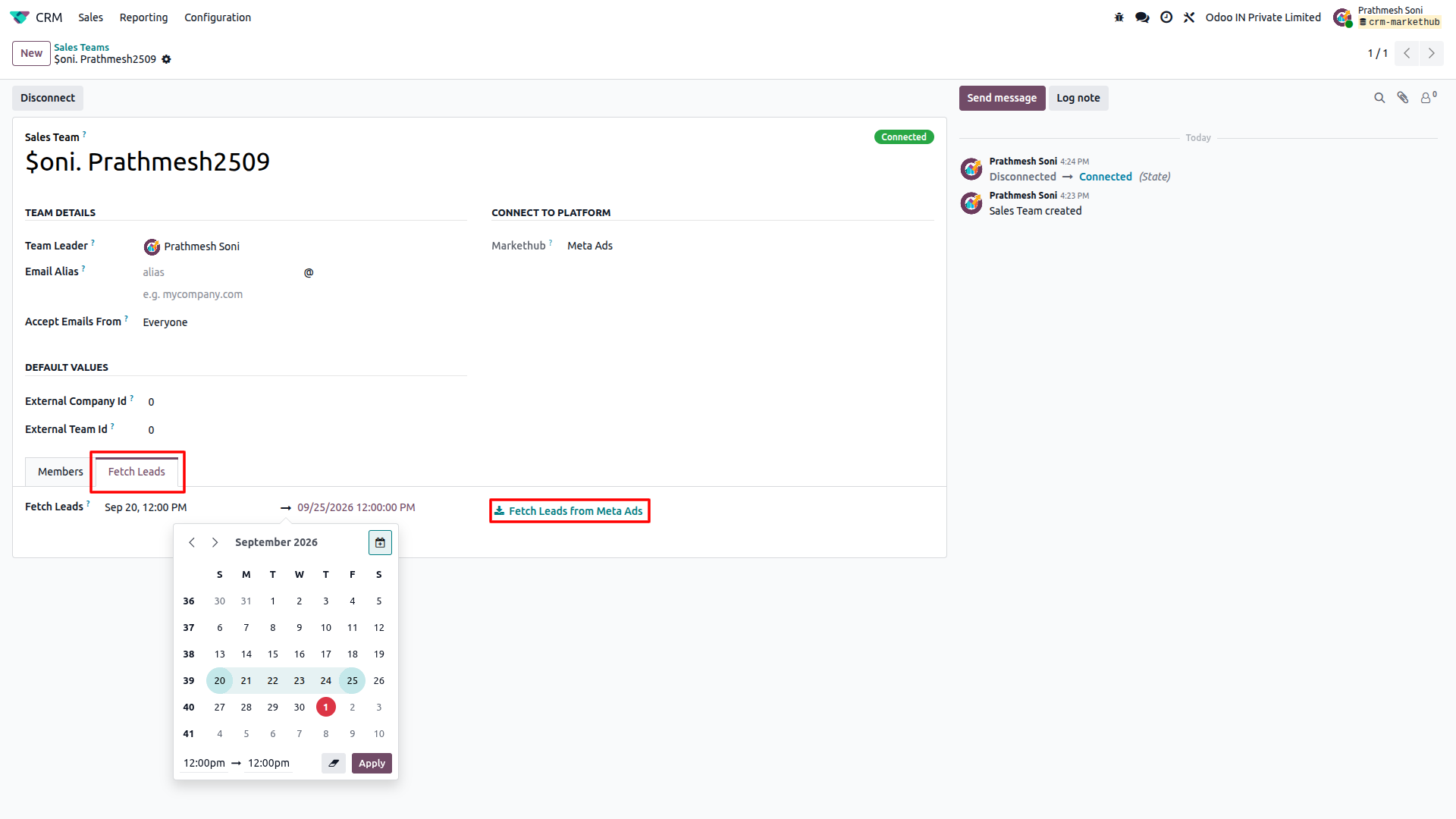
Fetch old leads (optional)
In Debug mode, set a date range and click "Fetch Leads from Meta Ads" to import historical leads.
Feature Details
What the Meta Ads integration does, and what it doesn't. Click a section to expand.
What it does
- Connects Meta Ads through the Meta OAuth authorization flow.
- Creates Meta Ads account records in CRM Markethub for the Facebook Pages available to the authorized account.
- Subscribes the connected Meta account to leadgen notifications for webhook delivery.
- Shows Connected / Disconnected status on the connected CRM account.
- Checks Meta access-token validity and supports reauthorization when a token expires.
What it doesn't do
- Does not use a customer-entered Pull API Key for lead synchronization.
- Does not automatically reauthorize an expired or revoked Meta access token.
- Does not push Odoo CRM lead changes back to Meta Ads.
What it does
- Creates a new lead in Odoo CRM for each Meta Ads lead that has not already been imported.
- Maps available contact information such as name, email, phone, company, job title, address, city, ZIP code, state and country.
- Adds the Meta lead ID and lead creation time to the lead description.
- Uses the Meta campaign name and lead form name for campaign and medium mapping.
- Uses Facebook or Instagram as the lead source based on the Meta platform value.
- Assigns incoming leads to the connected CRM sales team.
What it doesn't do
- One-way only: receives leads from Meta Ads and does not push lead data back to Meta.
- Does not create a second Odoo lead when the same Meta lead ID has already been imported.
What it does
- Lets you fetch existing Meta Ads leads for a selected date range on demand.
- Fetches active lead forms and their leads, including additional paginated lead results.
- Skips leads that have already been imported into Odoo CRM.
- Updates the last lead sync time after a lead fetch operation.
What it doesn't do
- Does not fetch historical leads automatically; the historical fetch is started manually from the CRM account.
- Does not guarantee that leads can be fetched when the Meta access token has expired or been revoked; the account must be reauthorized first.
Frequently Asked Questions
Ready to connect Meta Ads to Odoo?
Get your buyer enquiries flowing into Odoo CRM with no manual data entry.