Google Ads Odoo Integration
Capture Google Ads lead form enquiries directly into Odoo CRM the moment they are submitted.

Stop Copy-Pasting, Start Selling.
Integrate your Google Ads lead forms today and transform your sales process into a single, automated workflow

How Lead Form Enquiries Come Into Odoo
Google Ads lead form submissions flow into your Odoo CRM instantly via webhook,
then get assigned to the right sales team.
Google Ads
Buyer submits a lead form
CRM Markethub
Lead is received and mapped
Odoo CRM
Lead record is created
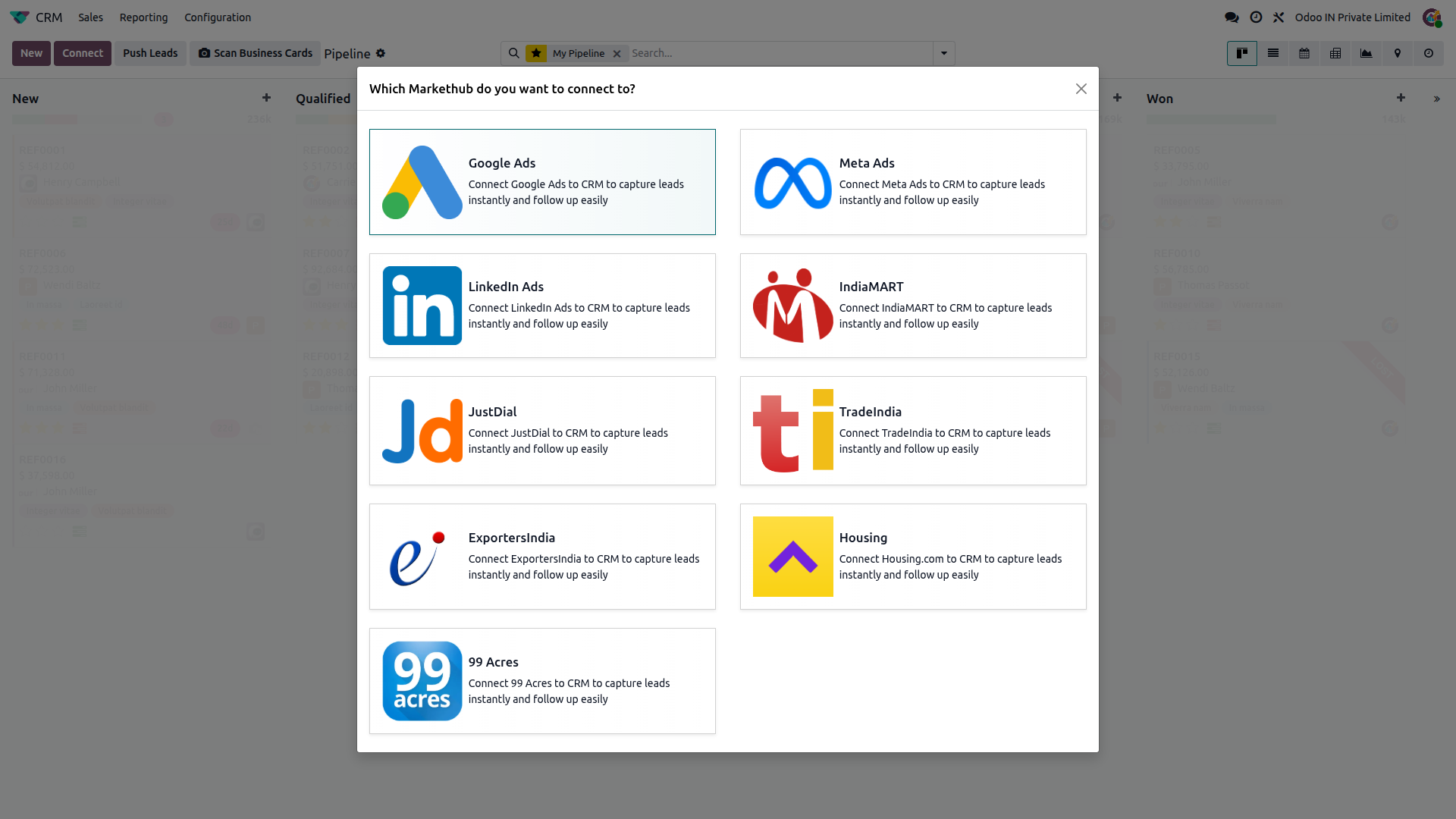
Sign in with your Google account and connect your Google Ads account. Odoo then attaches a secure webhook to your lead forms, so every new submission reaches Odoo instantly.
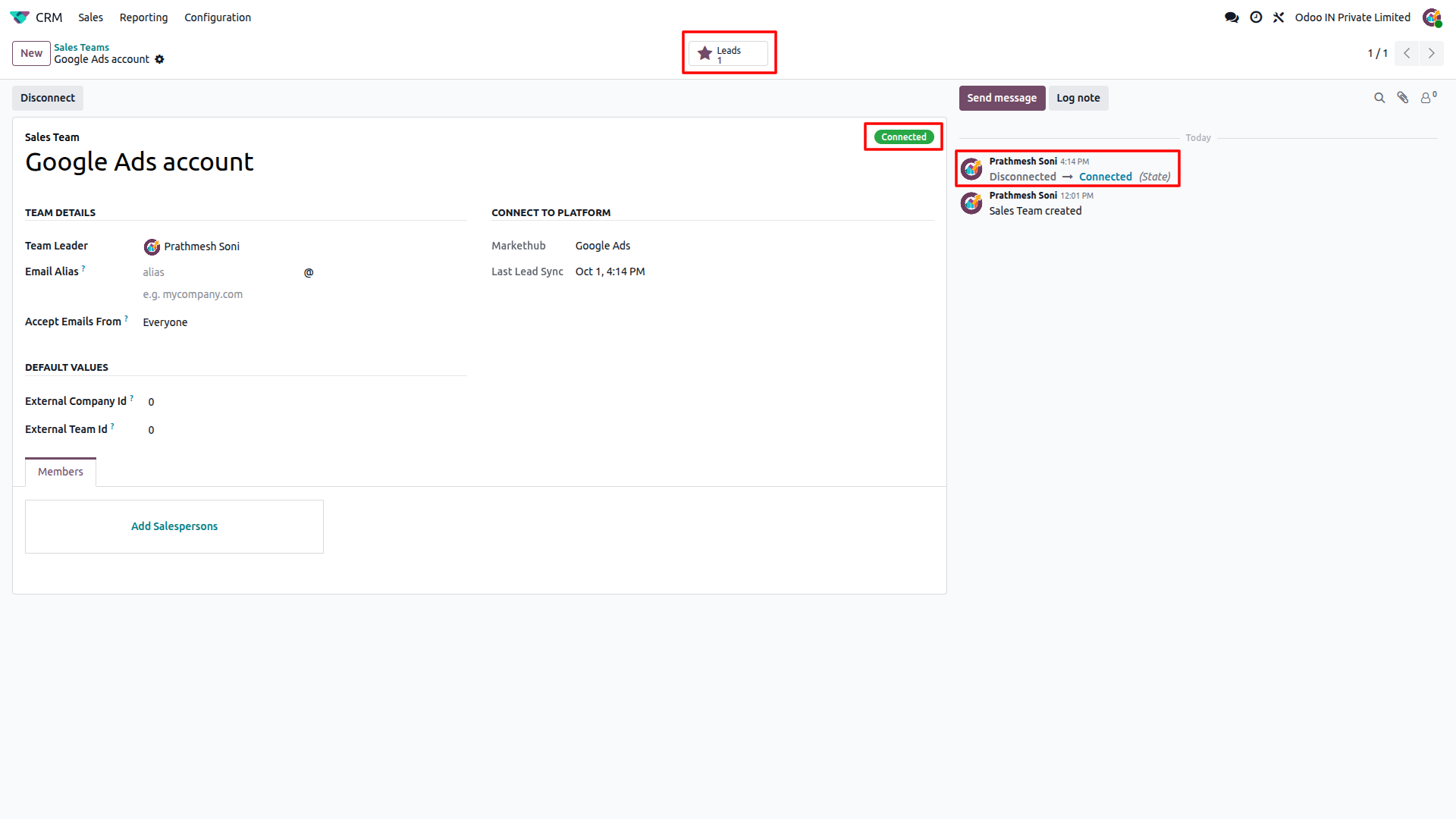
Once connected, the sales team status shows as "Connected" and new enquiries are created in Odoo CRM as they arrive.
How to Set Up
Connect Google Ads
Go to CRM, click Connect, select Google Ads, then sign in with Google and allow access to your Google Ads account.
Review your sales teams
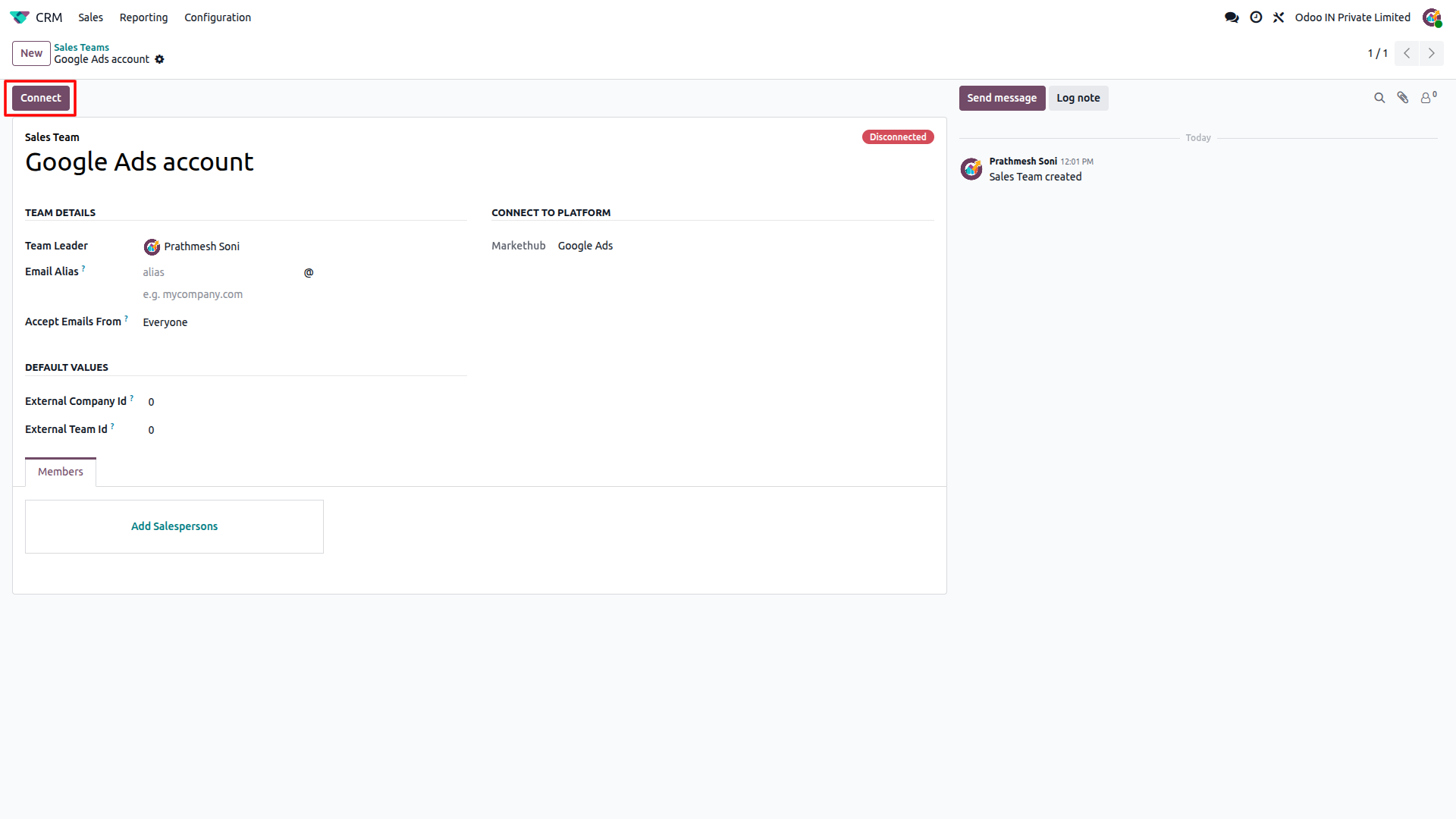
Odoo creates one sales team for each active Google Ads account it finds, starting as Disconnected. Open the one you want to use.
Connect the account
Click Connect on the sales team. Odoo attaches the webhook to your lead forms automatically and the status changes to Connected.
Follow up on new leads
Each lead form submission appears in CRM and under the Leads button on the sales team, assigned to its salesperson.
Feature Details
What the Google Ads integration does, and what it doesn't. Click a section to expand.
What it does
- Connects securely with your Google sign-in; no API key needs to be copied.
- Creates a sales team for each active Google Ads account under your login, skipping accounts that already exist.
- Attaches the Odoo webhook to your account's lead forms automatically when you click Connect.
- Delivers leads instantly as they are submitted, verified with a secret key on every lead.
- Shows a live Connected / Disconnected status on the Sales Team record.
- Removes the webhook from your lead forms when you click Disconnect or delete a connected sales team.
What it doesn't do
- No API key or scheduled sync; Google Ads runs on webhook only.
- Can't connect an account that has no lead forms; Odoo shows a warning instead.
- Doesn't attach lead forms created after you connect; disconnect and connect the account again to include them.
- Doesn't create a sales team for manager accounts, only for the active ad accounts under them.
What it does
- Creates a new lead in Odoo CRM for every Google Ads lead form submission, using the contact's name as the lead name.
- Fills in the contact name, email, phone, company, job title, street, city, ZIP, state and country.
- Adds the submission time and any extra or custom form answers to the lead description.
- Sets the Google Ads campaign and lead form name as the campaign and medium, with Google Ads as the source.
- Assigns incoming leads to the connected Sales Team and its salesperson.
- Skips duplicates, so the same lead is never created twice.
What it doesn't do
- One-way only: receives leads from Google Ads, never pushes data back.
- Doesn't update an existing lead if the same lead is received again.
- Only captures lead form submissions, not other Google Ads conversions.
What it does
- Delivers every new lead form submission for as long as the account stays Connected.
- Shows all leads from an account under the Leads button on its Sales Team record.
- Lets you disconnect and reconnect an account at any time.
What it doesn't do
- Doesn't import old leads; only submissions received while the account is Connected reach Odoo.
- Leads submitted while an account is Disconnected are not delivered or recovered later.
Frequently Asked Questions
Ready to connect Google Ads to Odoo?
Get your buyer enquiries flowing into Odoo CRM with no manual data entry.