ExportersIndia Odoo Integration
Capture ExportersIndia buyer enquiries directly into Odoo CRM for fast follow-up.


Stop Copy-Pasting, Start Selling.
Integrate your ExportersIndia enquiries today and transform your sales process into a single, automated workflow

How Buyer Enquiries Come Into Odoo
ExportersIndia enquiries flow into your Odoo CRM automatically, either instantly via webhook
or on a 15-minute sync, then get assigned to the right sales team.
ExportersIndia
Buyer submits an enquiry
CRM Markethub
Lead is received and mapped
Odoo CRM
Lead record is created
Leads reach Odoo instantly through a webhook, or automatically every 15 minutes using your ExportersIndia API key.
Once connected, the sales team status shows as "Connected" and new enquiries are created in Odoo CRM as they arrive.
How to Set Up
Connect ExportersIndia
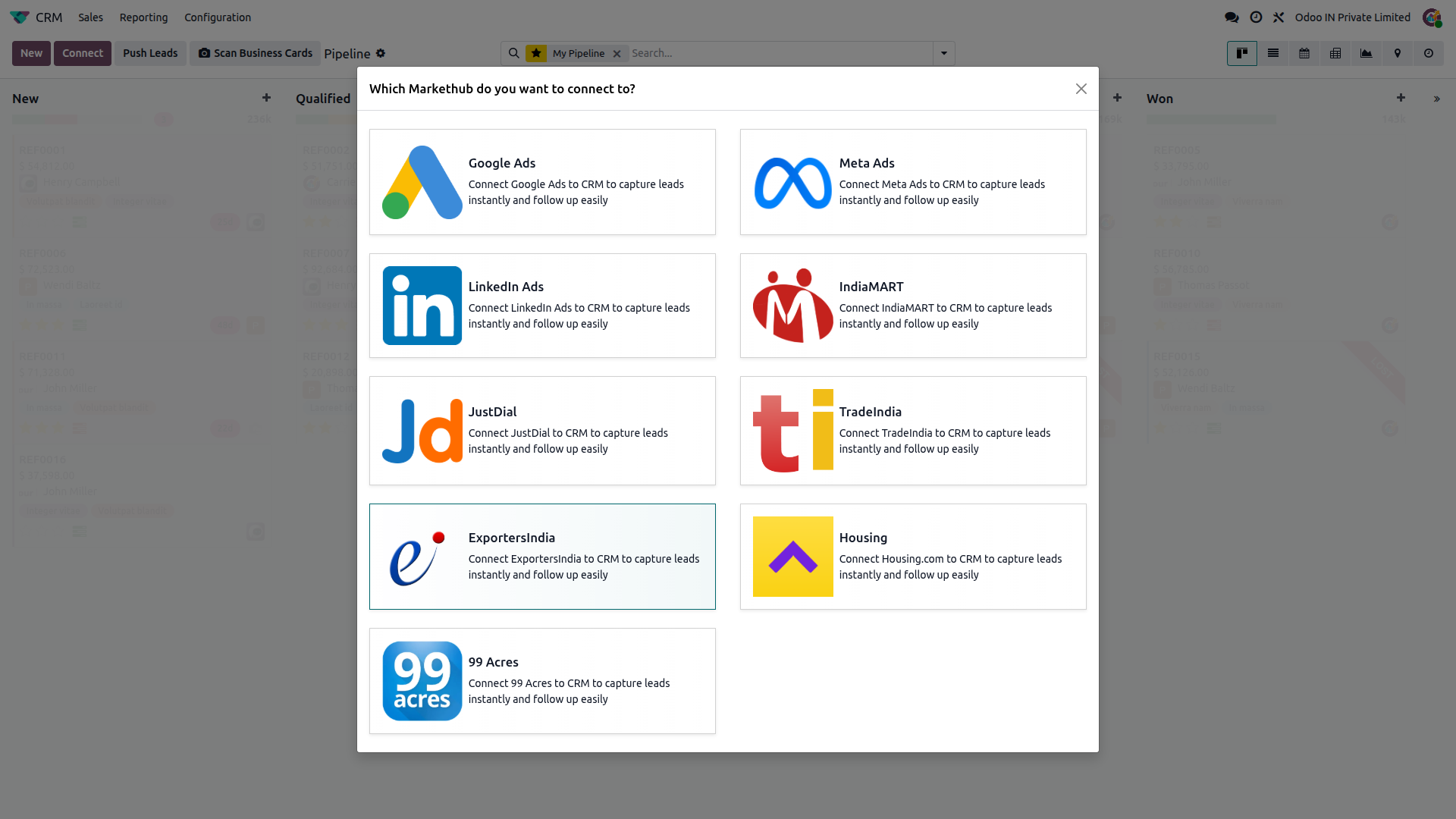
Go to CRM, click Connect, then select ExportersIndia.
Choose a sync mode
Select Fetch Leads Automatically or Receive Leads Instantly (Webhook).
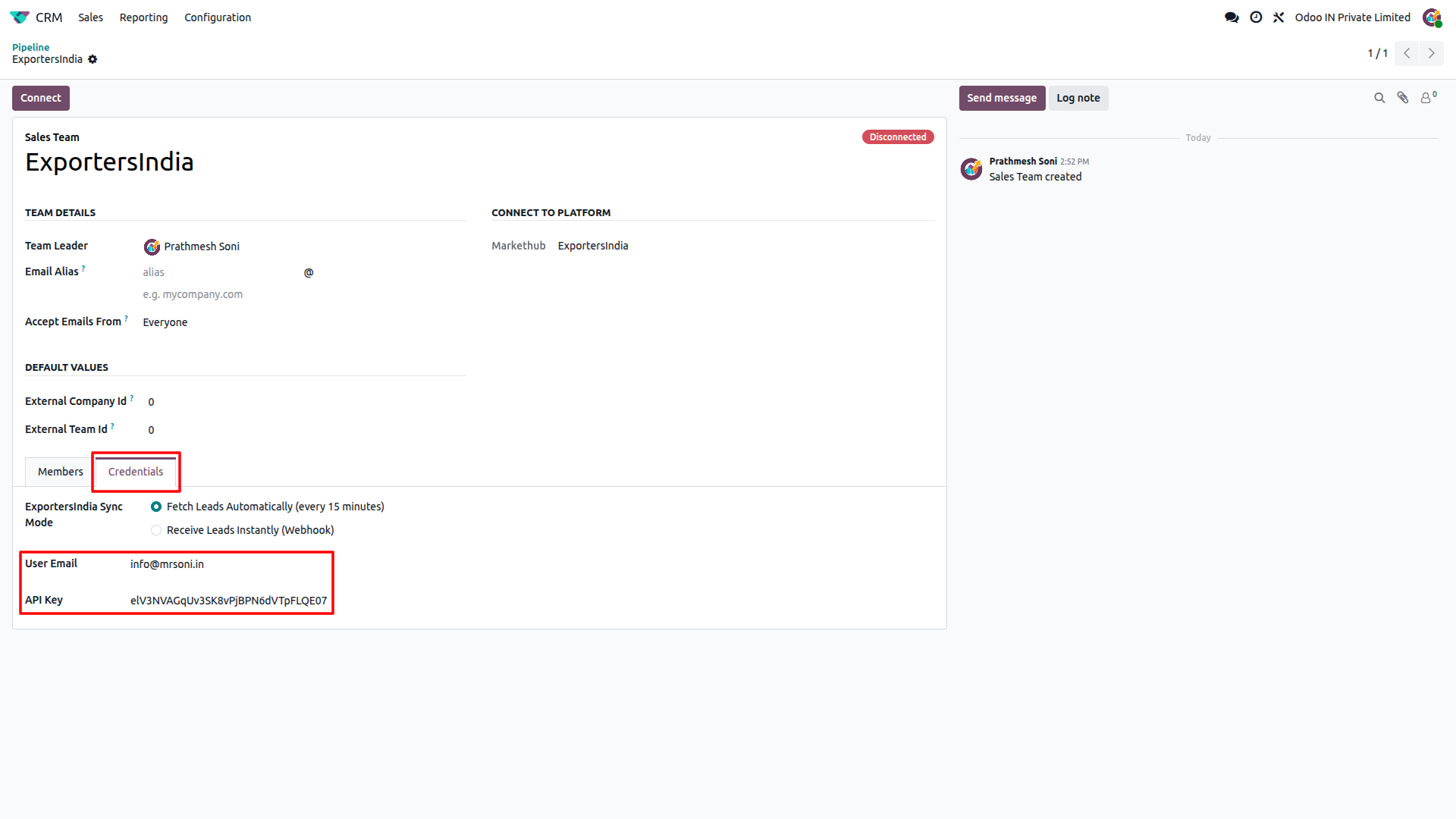
Add credentials
Enter your ExportersIndia email and API key, or copy the webhook URL and API key for webhook mode.
Connect
Click Connect to validate. Webhook mode turns Connected on the first lead.
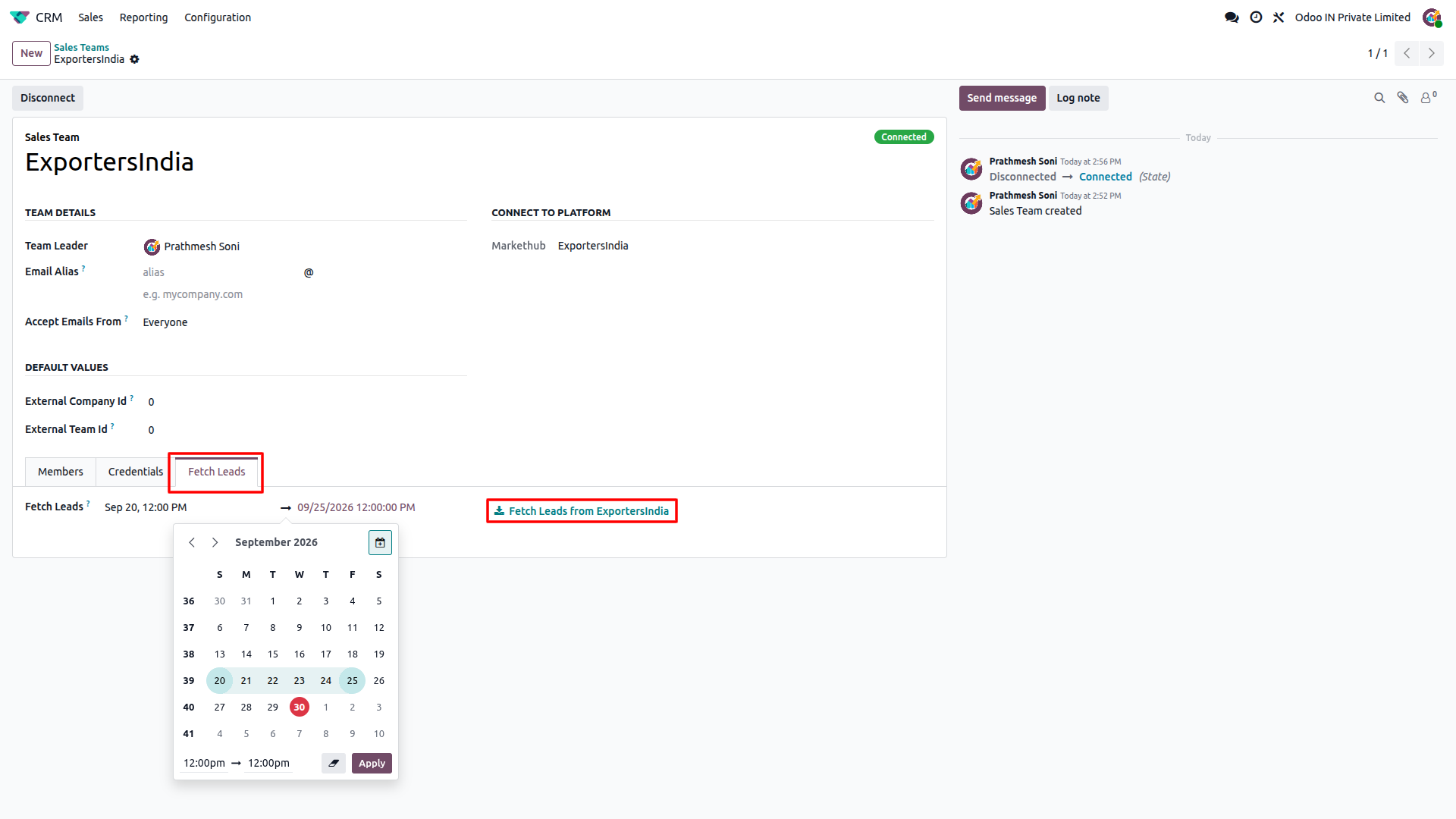
Fetch old leads (optional)
In Debug mode, pick a date range and click "Fetch Leads from ExportersIndia".
Feature Details
What the ExportersIndia integration does, and what it doesn't. Click a section to expand.
What it does
- Connects via Webhook for instant lead delivery as enquiries are created.
- Connects via API Key for automatic sync on a 15-minute cron job.
- Validates your email and API key when you click Connect.
- Shows a live Connected / Disconnected status on the Sales Team record.
What it doesn't do
- No true real-time sync on the API Key method; leads arrive on the 15-minute cron.
- Doesn't auto-configure the Webhook URL inside ExportersIndia; that step is manual.
- Uses one sync mode at a time per sales team; switching modes resets the status to Disconnected.
What it does
- Creates a new lead in Odoo CRM for every ExportersIndia enquiry, using the enquiry subject as the lead name.
- Fills in the contact name, email, phone, company, city, state and country.
- Adds a detailed description with the inquiry ID, date, type, product, sender details and the buyer's original message.
- Assigns incoming leads to the connected Sales Team and its salesperson, with ExportersIndia set as the source and medium.
- Skips duplicates, so the same enquiry is never created twice.
What it doesn't do
- One-way only: receives leads from ExportersIndia, never pushes data back.
- Doesn't update an existing lead if the same enquiry is received again.
What it does
- Lets you fetch old leads for a chosen date range on demand.
- Confirms success with a "leads created successfully" message.
- Marks the account Disconnected if ExportersIndia reports an invalid API key or email.
What it doesn't do
- Doesn't fetch historical leads automatically; Debug mode must be enabled manually first.
- The date range for a single fetch is capped at 61 days between the start and end date.
- Historical fetch is available only in API Key mode, once the account is Connected.
Frequently Asked Questions
Ready to connect ExportersIndia to Odoo?
Get your buyer enquiries flowing into Odoo CRM with no manual data entry.